
Who it's for
Landlords
Accept rent payments through the xVesta app. Renters pay by bank transfer or card from a secure link, with no app or account needed, and the money goes straight to your bank.
Long-term rentals with income and expenses rolled up, tenants and guests given scoped access, and a full history for every unit.
Upload a lease or month-to-month agreement and Alf, your personal estate concierge, pulls out the terms. Renters get automatic reminders and receipts, and you get alerts for paid, overdue, and failed payments and for leases ending soon.
Leases, rental agreements, and rent, handled by Alf
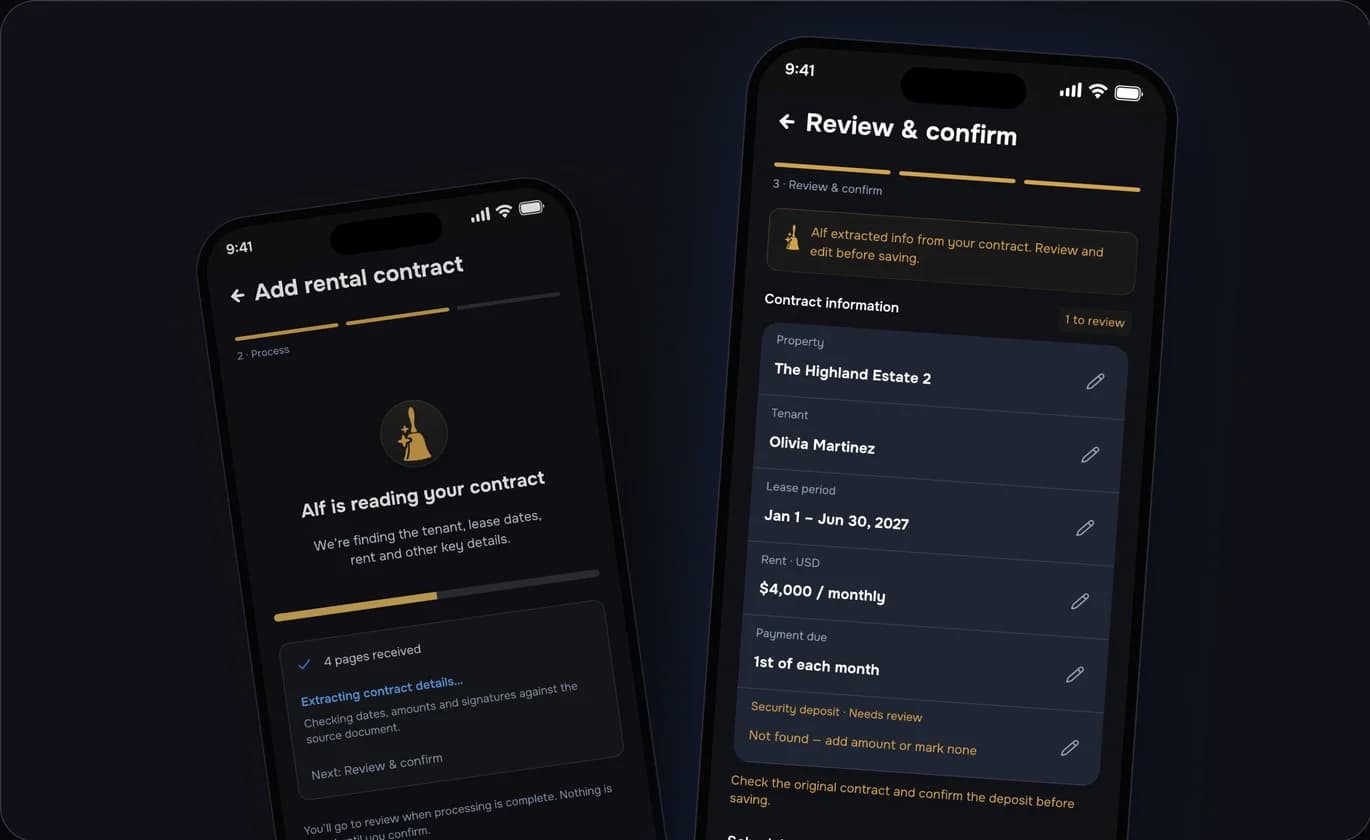
Upload a lease as a PDF, or photograph up to 20 pages. Alf pulls out the tenant, landlord, monthly rent, deposit, start and end dates, rent due day, agreement number, the renter's email and phone, and the premises, and you review everything before it's saved.
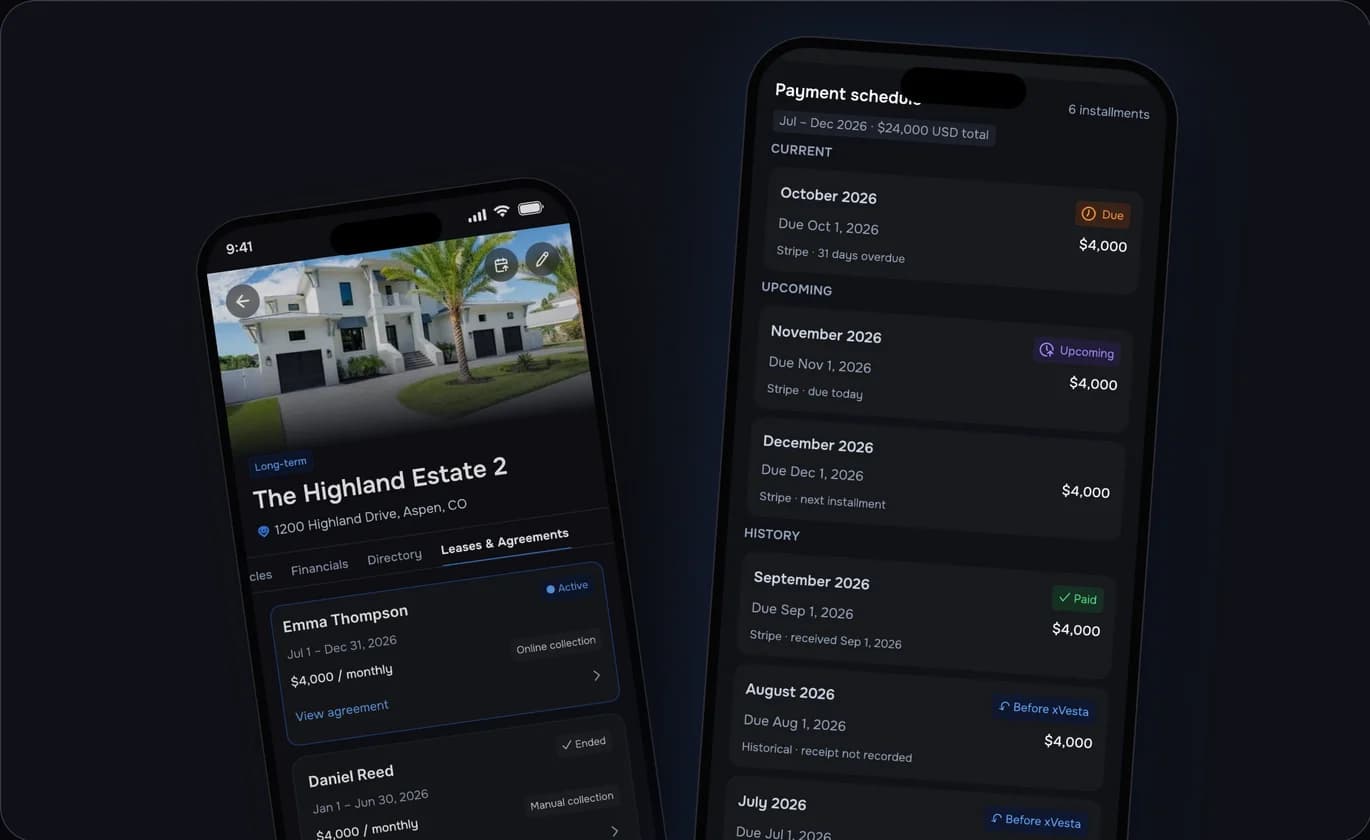
Track fixed-term leases and month-to-month rental agreements side by side. Each one gets a payment schedule (Current, Upcoming, and History) with Paid, Due today, and Overdue badges. Renew or end a lease early in a few taps, and rent flows straight into your Financials.
Online rent collection requires a paid plan.
Your whole portfolio, one view
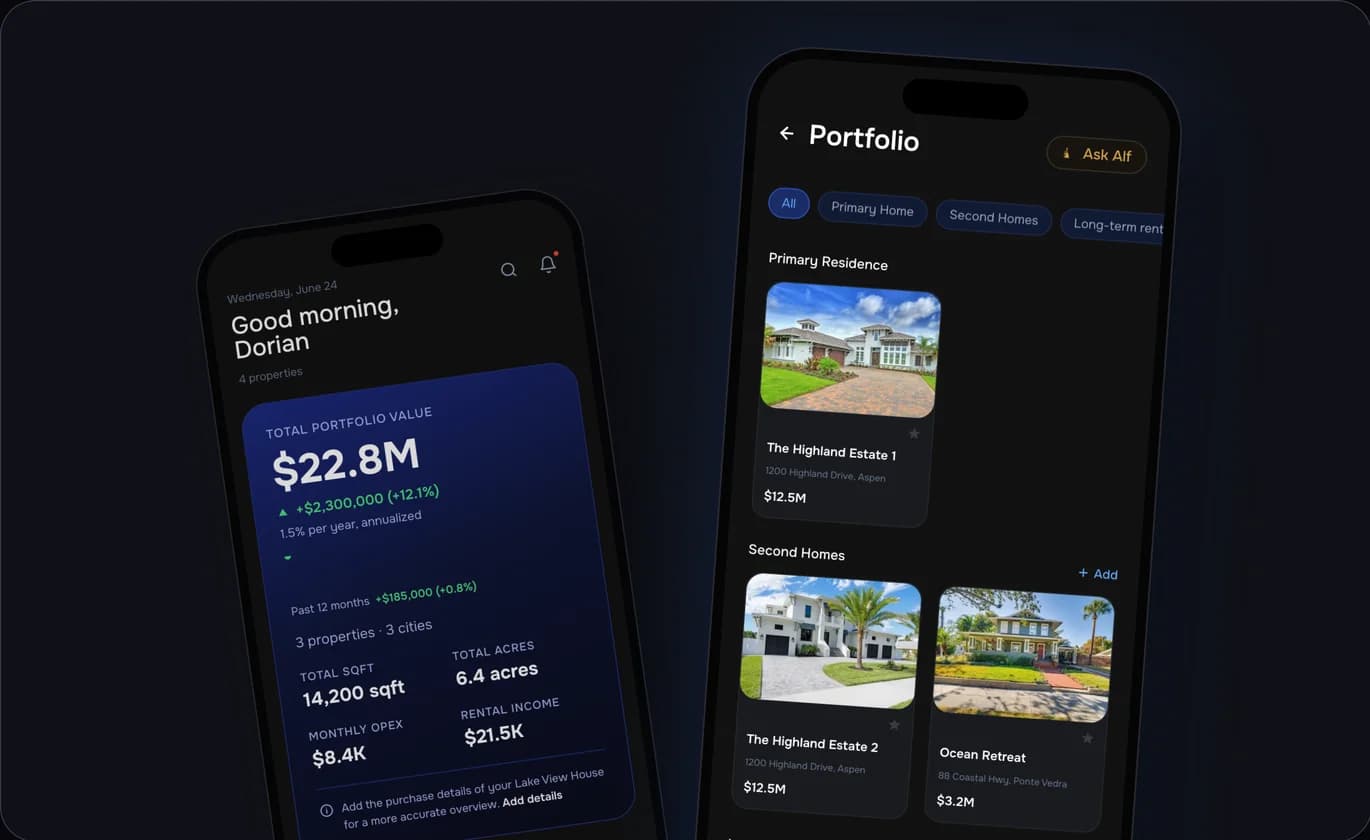
Primary residence, second homes, long- and short-term rentals, commercial properties, land, and agricultural: group them all and see financials roll up across every property. See income, expenses, and run-rate at a glance. Manage your own workspace and any you're invited to.
Bring your people
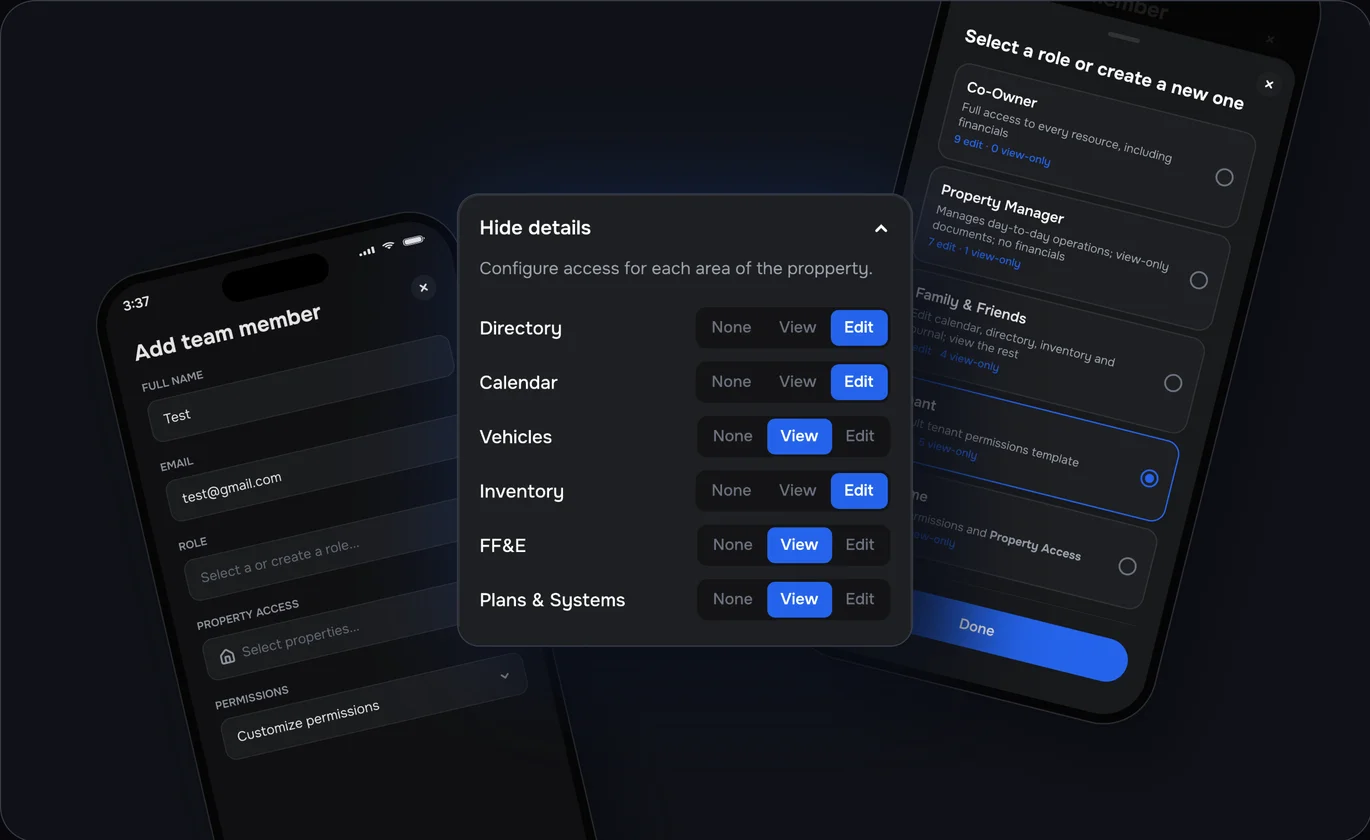
Invite co-owners, property managers, family and friends, tenants, and guests, each limited to the properties and tabs you choose. You can also create custom roles, like a bookkeeper. Invited members join free with permission based access to your workspace.
Start your free trial

